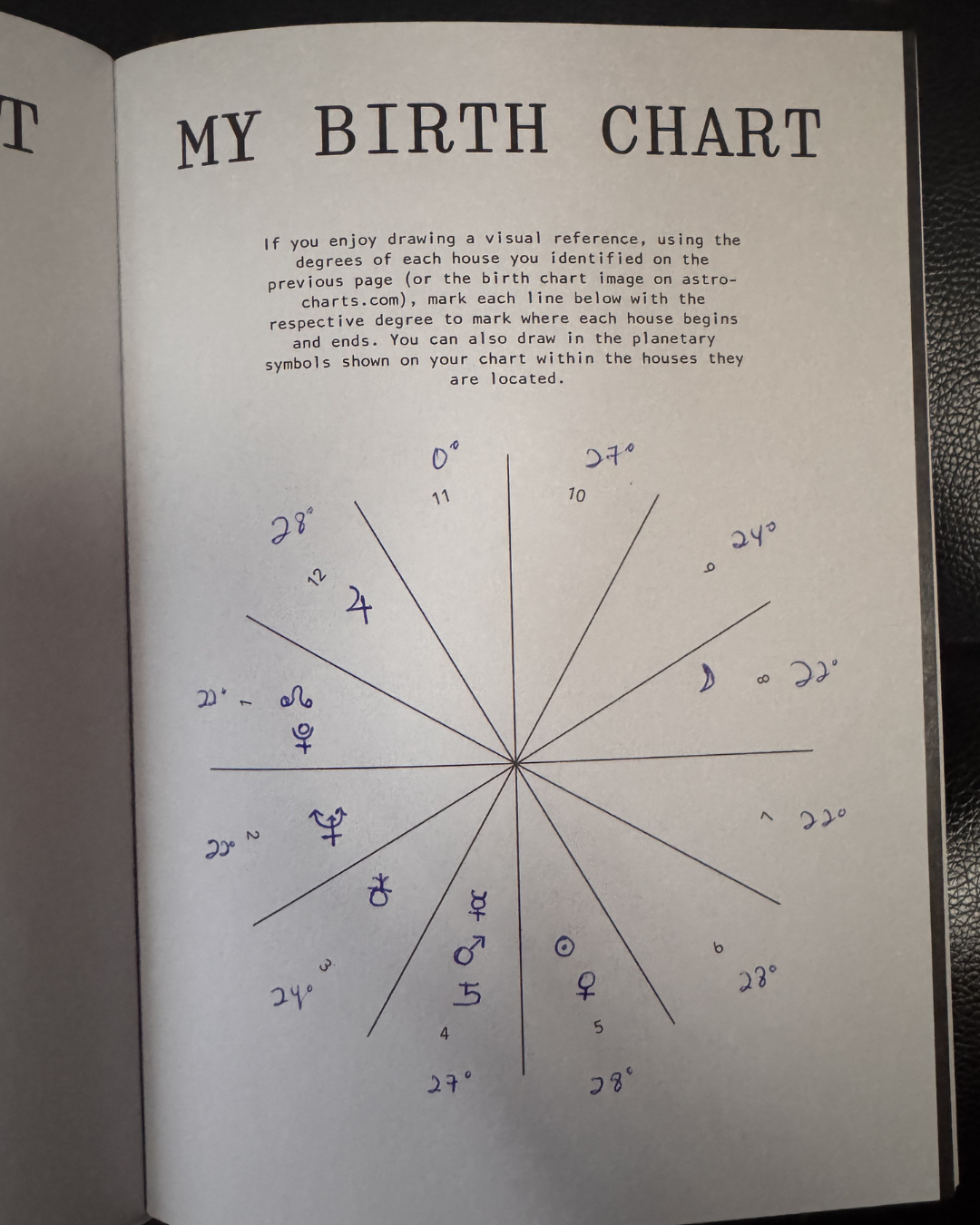
HOW TO SET UP YOUR ‘MY BIRTH CHART’ PAGES
STEP 1:
Head to astro-charts.com, or any other Astrological profile of your preference, and enter in your birth details.
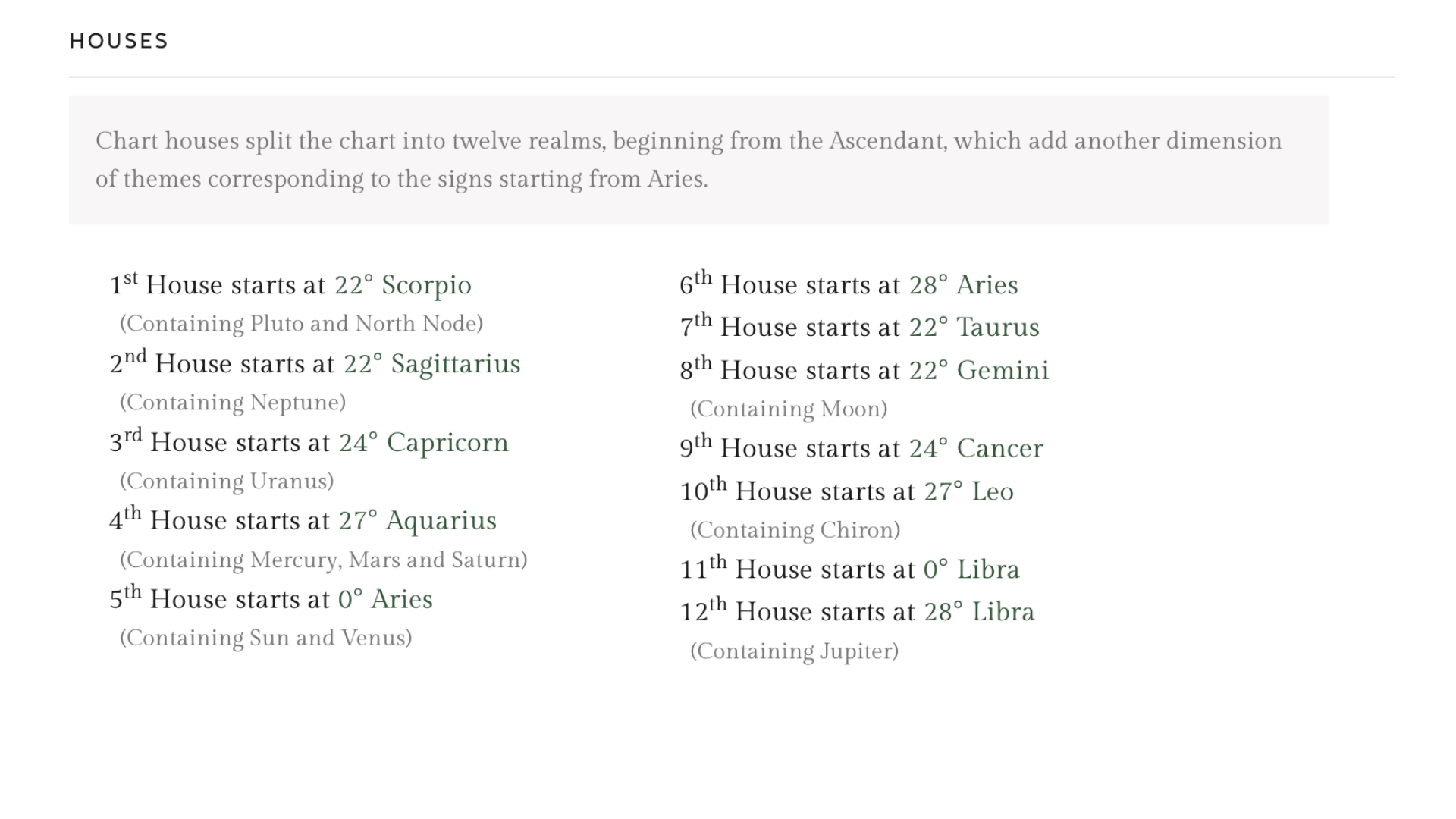
STEP 2:
Once you have your chart pulled, scroll all the way down to the ‘Houses’ section (reference image below).
STEP 3:
Using this section, fill out the ‘My Birth Chart’ page (the list version on the left hand side) as it's shown for each House sign and degree. Example below.
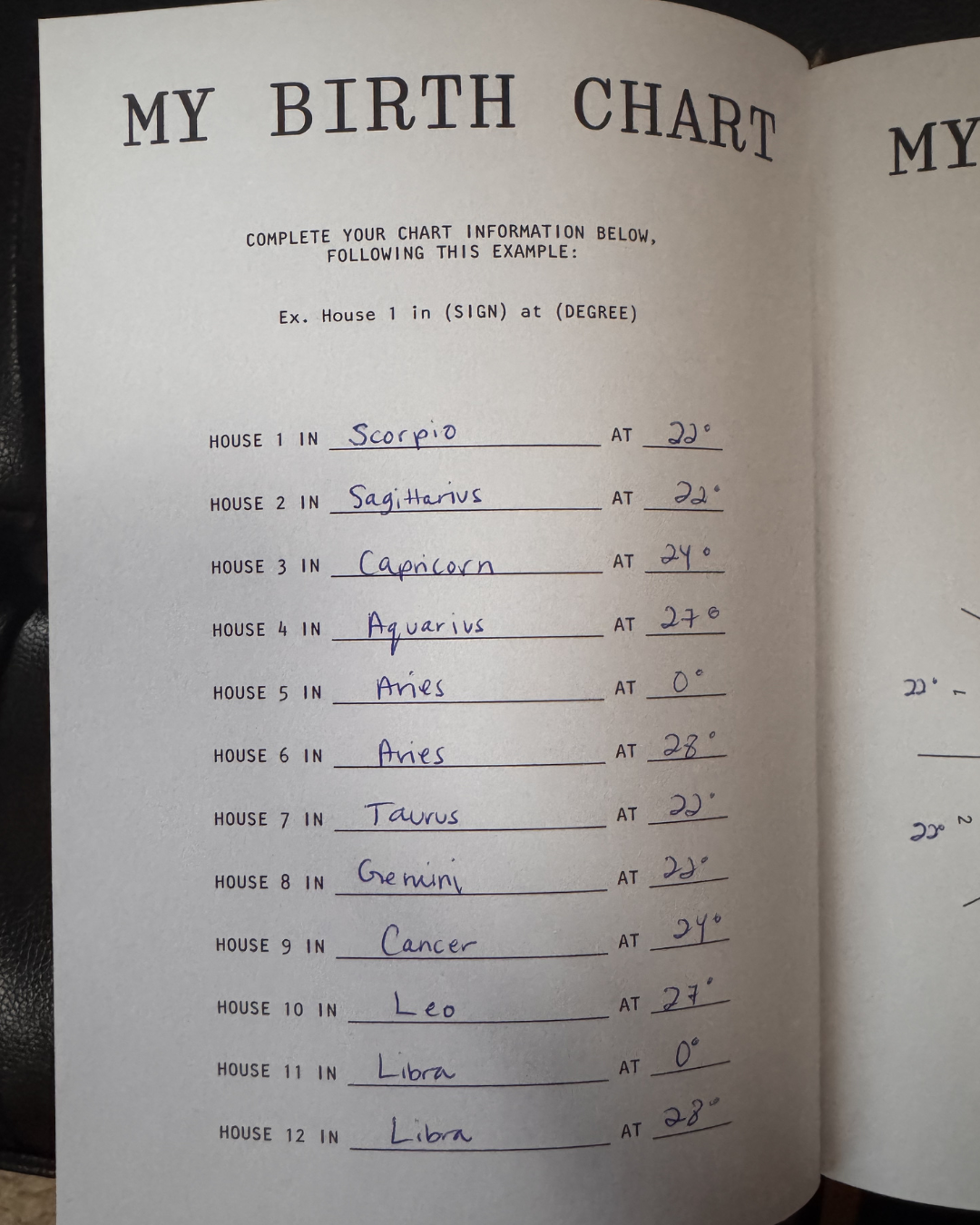
STEP 4 (OPTIONAL):
If you would like to fill out the birth chart wheel on the right-hand page, you can utilize the birth chart image of your chart on astro-charts.com (very top of the page) to draw the planetary symbols, degrees, signs, etc. You are welcome to fill out this version of your chart in any way that makes sense to you.